Step-by-step guide
How to create your Book Fund
Five simple steps from the book you want to the book in your hands. It takes about two minutes.
Find your book and copy its link
Browse any bookstore like Barnes & Noble, open the book you want, and copy the web address from your browser. You can also tap “Fund This Book” on any book on our site to skip this step.
Tip: Make sure it's the exact edition you want — hardcover, paperback, or a special edition.
Book link
Confirm the cover, title, and price
Book Fund finds the real book cover, title, and author for you. Check that everything is right. If the cover isn't correct, upload your own photo of it.
Tip: A small $0.99 platform fee is added to your goal, so contributors know exactly what they're covering.
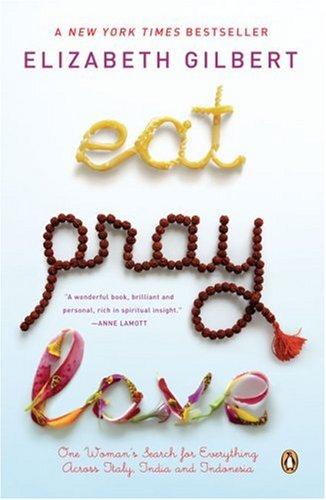
Title
Book price
Add who it's for and where to ship
Choose whether the book is for you or someone else, then enter the delivery address. Your address stays private — it's never shown on your public page.
Tip: Funding a gift? Add the recipient's name so friends know who they're helping.
Recipient
Shipping address
Only Book Fund sees this address.
Tell your story and publish
Write a sentence or two about why this book matters to you, review everything, and publish. Your Book Fund page goes live instantly.
Tip: Short and personal works best — people love knowing why you want to read it.
Why this book?
Share it and watch it fill up
Send your link to friends and family by text, email, or social media. Each contribution moves your progress bar. Once you hit your goal, Book Fund buys the book and ships it straight to you.
Tip: Share it in a few places — group chats and family texts usually fund books the fastest.
$14 of $18.99
5 readers contributed
Share fund